
EmDash CMS is a free, open-source content management system from Cloudflare, built on the Astro web framework, and it was designed from the start to be run by AI agents: every EmDash site has its own built-in MCP server, with permissions you can narrow per agent. It is ahead of WordPress on agent access today. For most small businesses, WordPress is still the safer choice, because EmDash's plugin ecosystem is tiny, every design change needs a developer, and the platform is months old.
That is the short answer. The longer one depends on which WordPress you mean, because there are really three choices here: classic WordPress, headless WordPress, and EmDash. I build websites for a living, some as traditional WordPress sites and some as headless WordPress, with WordPress holding the content and a separate Astro front end on Cloudflare drawing the pages, and I manage WordPress through AI agents most days. EmDash is aimed squarely at that way of working. For this guide I also set up a sample site with EmDash 1.0.1 on my own machine (an AI agent did the clicking, as it does for most of my work) and connected an agent to it, to see what it can and cannot do. The screenshots below are from that site. Where a fact comes from Cloudflare or another source, I link it. One disclosure: I build traditional WordPress sites and hybrid, headless ones with Astro front ends, and I am now exploring EmDash as the CMS in place of WordPress, so weigh my conclusions with that in mind.
What is EmDash CMS?
EmDash is a content management system that Cloudflare announced on April 1, 2026, as a "spiritual successor" to WordPress (Cloudflare (opens in a new tab)). Despite the launch date, it is not a joke: the first stable release, version 1.0, shipped on September 28, 2026 (Cloudflare (opens in a new tab)). Its name is one word, EmDash, which matters when you search for it: "emdash" on its own mostly finds the punctuation mark.
What it is, in plain terms:
- Open source and free. It is MIT licensed, and no WordPress code was used to build it.
- Built into an Astro site. Your pages are Astro components written in TypeScript, and EmDash adds its admin panel, database and media library to that same application.
- Self-hosted. It runs on Cloudflare Workers, storing content in Cloudflare's D1 database, or on any Node.js server with SQLite, libSQL or PostgreSQL (EmDash docs (opens in a new tab)). Cloudflare runs no hosted EmDash service, though at least one web host, WPMU DEV (opens in a new tab), sells managed EmDash hosting.
- Not a page builder. The docs are blunt about it: "it is not a visual page builder." Layout lives in code a developer writes.
- It does not run WordPress themes or plugins. Anything your WordPress site does through a plugin has to be rebuilt or replaced.
Is EmDash a headless CMS?
No, and the difference matters. A headless CMS stores content and hands it to a separate front end, which is how headless WordPress works: WordPress keeps the editing screen, and a separate front end, in my builds an Astro site on Cloudflare, turns the content into finished pages ahead of time. EmDash puts the editing screen, the database and the public site into one application, which builds each page when a visitor asks for it. Its own docs point people who want a separate content service to "a separate headless CMS" instead.
That makes EmDash a third kind of setup, and it changes three things you will feel:
- Publishing is immediate. An edit shows on the next page request, with no rebuild. On a headless WordPress site, a change goes live when the front end finishes rebuilding. How long that takes depends mostly on how much content there is: on a site I run with over 600 posts, it is about six minutes, while smaller sites often rebuild in under a minute.
- The site and the CMS stand or fall together. On headless WordPress, the public site is a set of files that keeps working if WordPress goes down; you just cannot publish until it is back. On EmDash, if the application is down, only pages already in a cache keep serving.
- The admin lives at the same address as your site. On headless WordPress, WordPress can sit at a separate address, locked down so only you and the build can reach it.
How does EmDash compare with classic and headless WordPress?
| Classic WordPress | Headless WordPress | EmDash | |
|---|---|---|---|
| Who draws the pages | WordPress, its theme and plugins, on every visit | A separate front end, built ahead of time | The Astro application, on each request |
| Where editors work | The WordPress dashboard | The same WordPress dashboard | EmDash's admin, part of the site itself |
| From Publish to live | Immediately | After a rebuild: under a minute on many small sites, several on large ones | Immediately |
| If the CMS goes down | The site goes down | The site keeps serving; publishing waits | Only cached pages keep serving |
| How pages are designed | Themes and page builders you can change yourself | Front-end code, written by a developer | Astro code, written by a developer |
| Plugins | About 73,000 in the WordPress.org directory | Only those that work inside WordPress | More than 100 in its official registry |
| AI agent access | A plugin, WordPress.com's built-in tools, or third-party plugins | The same, on the WordPress side | A built-in MCP server, on by default |
| What an agent's login can do | Everything the user can do | Everything the user can do | Only the scopes you tick, within the user's role |
| Review before publishing | Built-in "pending review" status | Built-in "pending review" status | Drafts only; no pending status |
| Share of websites | WordPress runs 39.5% of all websites | Counted within WordPress | Too new to be counted |
WordPress's share comes from W3Techs, which puts it at 39.5% of all websites and 58.3% of those using a known CMS, and does not yet track EmDash (W3Techs (opens in a new tab)). The plugin counts are the two directories' own, as of October 2026 (EmDash plugins (opens in a new tab), WordPress.org (opens in a new tab)).
What happens when an AI agent manages an EmDash site?
None of the coverage I found showed this, so I tested it. The limits of the test: it ran on my own computer, on the Node.js version with a SQLite database, using one agent token, over one day in September 2026. I did not test Cloudflare hosting, its plugin sandbox or its restore feature; what I say about those comes from documentation, which I link.
Setting up the site takes three screens: the site's name, your account, and a passkey. There is no password at all; you sign in with your fingerprint, face or device PIN, or with an emailed link.
Giving an agent access happens under Settings, API Tokens. You name the token, then tick the permissions it gets from a list of fifteen: reading content, writing content, media, the content structure, menus, site settings, full site import and export, or full admin access. None is ticked by default, and tokens expire after 30 days unless you pick another period, which can include never; do not pick never. I made one for a drafting assistant with only "Content Read" and "Content Write," set to expire in seven days.
Then I connected to the site's MCP server with that token, as an AI assistant would. What I saw:
- It refused what the token did not cover. Asked to change the site's tagline, it answered: "Insufficient scope: requires settings:manage." Asked to delete a field from the posts content type, it answered: "Insufficient scope: requires schema:write."
- New posts were saved as drafts. The agent wrote a post in plain Markdown, and EmDash converted it and saved it unpublished.
- It had to read before it could write. An edit sent with an out-of-date version marker was rejected as a conflict, so an agent cannot overwrite changes it has not seen.
- Editing a live post did not change the live page. The edit was held as a draft, the public page kept the old text, and a comparison tool showed exactly what would change on publishing.
- But nothing stopped it publishing. The same content-only token published its draft straight to the site, with no one's approval. Because the token belonged to an administrator account, it could also move a post to the trash and then delete it permanently.
That last point is the one to understand. EmDash's token scopes limit which kinds of things an agent can touch, and they do it well. They do not add a human checkpoint. The docs' own advice is procedural: have the agent create drafts, review them, then publish (EmDash docs (opens in a new tab)). To make that a rule rather than a habit, give the agent its own user account with the Contributor role, which the docs describe as able to "create draft content, edit owned drafts, and upload media, without publishing." Then publishing stays with a person, whatever the agent is asked to do.
Two more details. The only step EmDash makes an administrator approve is a whole-site export or import. And a full history of every content change comes from a separate audit-log plugin, not the core install.
How does WordPress handle AI agents today?
WordPress is not standing still, but its agent story is more scattered. Everything here applies to classic and headless WordPress alike, because agents work inside WordPress either way.
- On WordPress.com, agents can manage content through a built-in MCP connection, which launched read-only in October 2025 and gained writing in March 2026 (WordPress.com (opens in a new tab)).
- On a self-hosted site, the official route is the MCP Adapter plugin. It is still pre-1.0, available from the plugin directory and GitHub (MCP Adapter (opens in a new tab)), and what an agent can do depends on which plugins offer "abilities" for it to use.
- The login is the weak spot. Agents usually sign in with an Application Password, which carries all of the user's permissions and never expires on its own; WordPress has no built-in way to narrow one (WordPress core team (opens in a new tab)). EmDash's scoped tokens are a genuine step ahead here.
- The review step is WordPress's strength. A user who can write but not publish gets a "Submit for Review" button, and the post waits in "pending" status for an editor (WordPress documentation (opens in a new tab)). EmDash has no built-in equivalent yet.
What changes for automations and agents?
The architecture decides how an agent's work reaches your visitors, and each one trades something.
- Headless WordPress has a checkpoint built in, and a moving part. An agent or automation writes into WordPress, and the change goes live only when the front end rebuilds. That gives you a place to catch problems. It also means one more step that can fail, and a failed build can look like a successful one: a good build checks that it found content before it replaces the live site.
- EmDash removes the rebuild. An agent's publish is live on the next request. There is nothing to trigger and no build to fail, and also no second chance: whatever the agent publishes, visitors see.
- Classic WordPress is immediate too, and it runs every plugin on every visit, so an agent that can change plugins or settings can change the live site in one step.
Whichever you run, I follow the same rules for agents:
- The agent's connection is a remote control, never part of the site. Removing it must cost the site nothing. The content model lives in the CMS itself, custom fields in WordPress or collections in EmDash, with a copy kept in version control; EmDash's seed file makes that easy.
- Everything the site sends back is information, never instructions. Post content, field values and even error messages are written by whoever can edit the site, so an agent reports them and never follows them.
- On EmDash, switch the MCP server off unless the project uses it. It is on by default, and the docs show how to turn it off. When it is on: one token per agent, the fewest scopes that work, never admin access for routine content work, and revoke tokens when the work is handed over.
- Make structural changes on staging first. An agent that can change settings, structure or plugins works on a staging copy; check that everything works the way it should, and only then push the changes to the live site.
What does EmDash cost?
The software is free. Running it costs what the hosting costs, and building it costs what a developer costs.
As of October 2026: EmDash sites run on Cloudflare's free Workers plan, which allows 100,000 requests a day (Cloudflare (opens in a new tab)). Plugins from EmDash's registry run in an isolated sandbox that needs Cloudflare's Workers Paid plan, "a minimum charge of $5 USD per month" (Cloudflare (opens in a new tab)). On a Node.js server with SQLite, libSQL or PostgreSQL, you pay whatever that server and database cost, and the plugin sandbox there enforces fewer limits (EmDash docs (opens in a new tab)). EmDash itself has no paid plan, and Cloudflare offers no hosted version; WPMU DEV sells managed EmDash hosting (WPMU DEV (opens in a new tab)).
The bigger cost is the build. Because every EmDash design is custom Astro code, a new EmDash site is a custom build, and it prices like one. In my guide to what a website costs, that is about $10,000 and up from a studio or agency. Later layout changes are developer work too.
Budget for backups as well, because EmDash's built-in one is not what it sounds like. The admin can save a JSON copy of your content, but the docs are plain that JSON backups are "useful for inspection and custom tooling, but EmDash cannot restore them" (EmDash docs (opens in a new tab)). Real recovery means a database backup: on Cloudflare, D1's minute-by-minute restore, which reaches back 7 days on the free plan and 30 on the paid one (Cloudflare (opens in a new tab)), plus a separate copy of your media.
Can you move a WordPress site to EmDash?
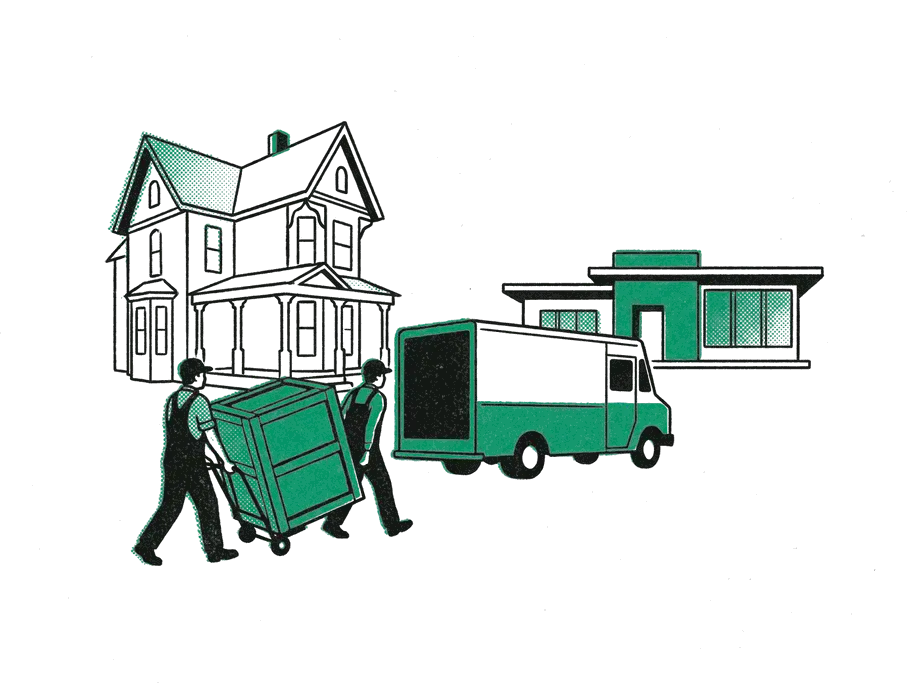
The content, yes; the rest, no. EmDash can import a WordPress export file, and an EmDash Exporter plugin for WordPress brings across more: comments, menus, site settings, SEO fields from Yoast or Rank Math, and custom fields where the new site has matching ones (EmDash docs (opens in a new tab)). Some reviews claim there are no migration tools; that is out of date.

What does not move:
- The design. Your theme has to be rebuilt as Astro components.
- Plugins and what they do: forms, stores, booking systems, page-builder layouts from Elementor or Bricks.
- Workflow details. Posts that were pending, private or scheduled all arrive as drafts.
- Your old addresses. Redirects for every changed URL are your job, though EmDash can mimic WordPress's address patterns to avoid many of them.
If your site is already headless WordPress with an Astro front end, you are closer than most: the front end is already Astro. The content model, previews and every WordPress plugin still have to be replaced.
What are the risks of choosing EmDash now?
- It is young and moves fast. EmDash shipped 55 releases in its first six months, with breaking changes until 1.0 (GitHub (opens in a new tab)). Cloudflare now promises breaking changes only in new major versions.
- One company runs it. It is a Cloudflare project with five named maintainers, a lead Cloudflare appoints, and no independent foundation behind it (GitHub (opens in a new tab)).
- The ecosystem is thin. More than 100 registry plugins, a small catalog of themes, no built-in e-commerce, and a small pool of developers who know it.
- Plugin isolation has conditions. Registry plugins run sandboxed, fully so only on Cloudflare's paid plan; on Node.js the sandbox enforces only a time limit. "Native" plugins, installed as code, are not sandboxed at all.
- Its security record is short. There are no published security advisories, but its changelog shows serious fixes since launch, including one where an editor could reach admin-only actions. That is normal for young software; it is also why a long track record matters.
- Some lock-in, less than critics feared. WordPress co-founder Matt Mullenweg argued at launch that EmDash's plugin security "only works on Cloudflare" (Matt Mullenweg (opens in a new tab)). He runs a competing business, and that has since become partly outdated: a sandbox for Node.js servers shipped in May 2026, though it enforces fewer limits than Cloudflare's. Astro itself is a hard requirement.
One figure to treat carefully: Cloudflare's launch post says 96% of WordPress security issues come from plugins. That was security firm Patchstack's count for 2024. Its count for 2025 is 11,334 new vulnerabilities, 91% of them in plugins and 9% in themes, with just 6 in WordPress itself (Patchstack (opens in a new tab)). The point stands; the number moved.
Which should your business choose?
This is the rule I use.
EmDash is a candidate only when all of these are true:
- It is a new build, or a WordPress site being rebuilt anyway, with few plugins it depends on.
- The front end is Astro.
- The content is posts, pages and simple collections, with only a few editors.
- There is no store, membership or course system.
- You are happy with Cloudflare, or a Node.js server you manage, as the host.
Stay on headless WordPress when:
- Automations or other tools already write into WordPress.
- The site needs commerce or an approval workflow.
- The public site must keep serving when the CMS is down.
Stay on classic WordPress when:
- You build and rearrange pages yourself with a page builder.
- The site depends on plugins for a store, bookings or memberships.
And whichever you run now: a working site is not a reason to migrate. Adding a careful agent setup to it is cheaper than rebuilding it. I explain how the headless setup works, and when it is worth it, in my guide to headless WordPress. I would not move a working WordPress site to EmDash yet, and I would not put a client's live site on it until the 1.x releases have had at least a month of fixes behind them. I am keeping a close eye on EmDash's development, and I will be testing it on some personal projects before moving any of my own sites onto it for real or building client sites on it.
The short version
EmDash CMS is Cloudflare's free, open-source, Astro-based CMS, stable since September 2026 and built for AI agents: every site has an MCP server, and agent tokens can be limited to exactly the permissions a job needs, which WordPress cannot do yet. It is not headless WordPress by another name: the CMS and the site are one application, so publishing is instant and there is no separate front end to keep serving if it goes down. It is behind WordPress on plugins, page building, review workflows and track record. Whichever you choose, the safe way to let an agent in is the same: its own low-permission account, drafts with a person publishing, and structural changes made on staging first.